---
title: Virtru Data Loss Prevention
description: Mitigate risks and meet regulatory compliance with Virtru's configurable DLP security rules that detect and automatically encrypt sensitive data.
---

##### Data Loss Prevention

# Automatically Enforce Protection and Control

**Configure data loss prevention (DLP) policies to automatically enforce persistent protection and control to maintain data privacy and compliance.**

[Request a Demo](https://www.virtru.com/data-loss-prevention#)

![DLP-HIPAA-1024x697](https://www.virtru.com/hs-fs/hubfs/Imported_Blog_Media/DLP-HIPAA-1024x697.png?width=1024&height=697&name=DLP-HIPAA-1024x697.png)

## Maintain Privacy and Compliance with Automatic Enforcement

### Prevent Data Leaks

 Ensure the privacy of email and attachments containing sensitive intellectual property before they leave your organization’s domain.

### Strengthen Compliance

 Maintain compliance with regulations like HIPAA, GDPR, FERPA, CJIS and more.

### Keep Existing Workflows

 Minimize changes to existing user workflows with encryption and access controls that are transparent to end users.

### Customize DLP Rules

Configure DLP rules that enforce persistent protection and control, with prebuilt rule packages, templates and custom logic.


## Zero Trust Data Loss Prevention (DLP)
![DLP-Warning-2](https://www.virtru.com/hubfs/DLP-Warning-2.png)

### Detect Sensitive Data with Preconfigured Rule Templates

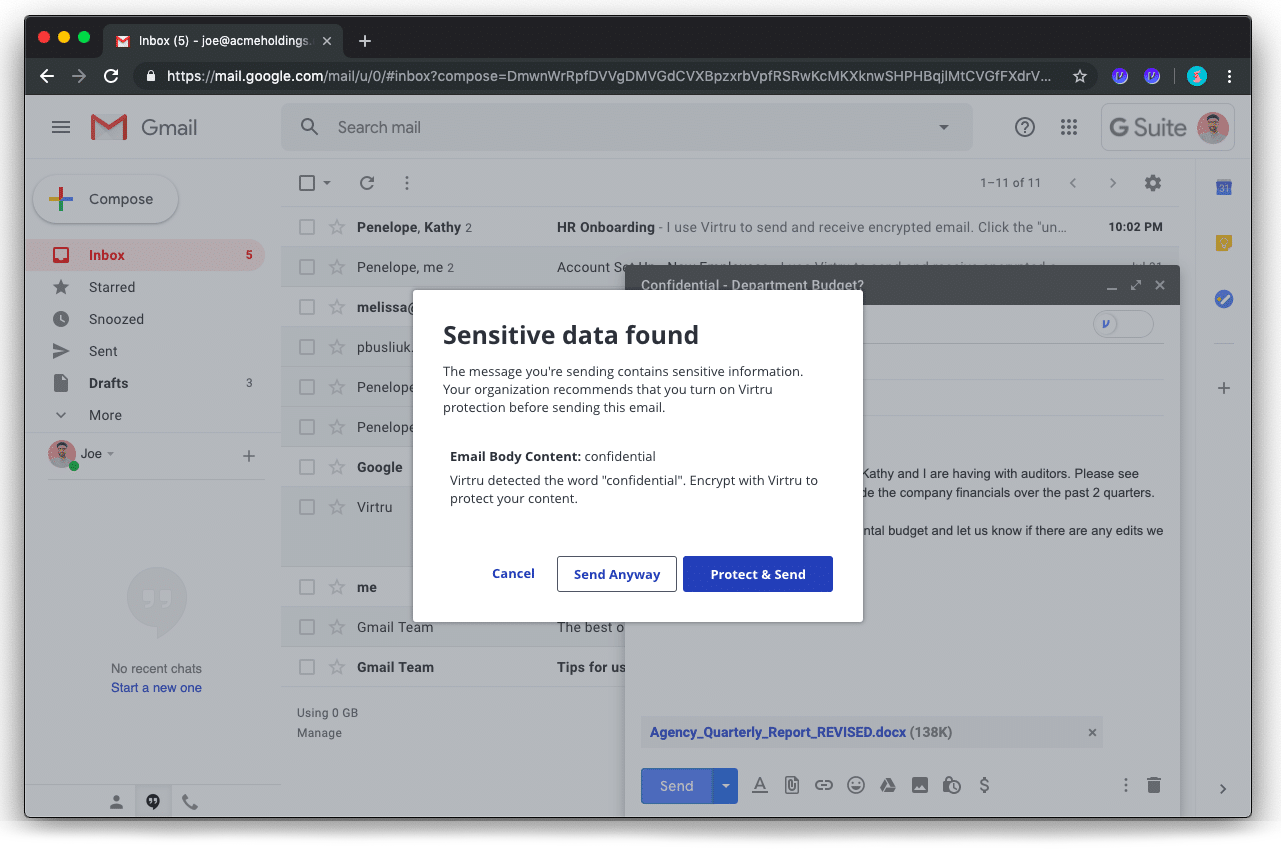
Enhance security awareness across the organization with DLP rules that warn users to protect sensitive data to complement on-demand protections. Choose from preconfigured DLP rules that scan emails for sensitive keywords, text patterns and other common indicators to protect your sensitive data before it even leaves your device.
![hipaa-rules-2 copy-1](https://www.virtru.com/hs-fs/hubfs/hipaa-rules-2%20copy-1.png?width=1281&height=849&name=hipaa-rules-2%20copy-1.png)

### Automate HIPAA Compliance for Busy Medical Staff

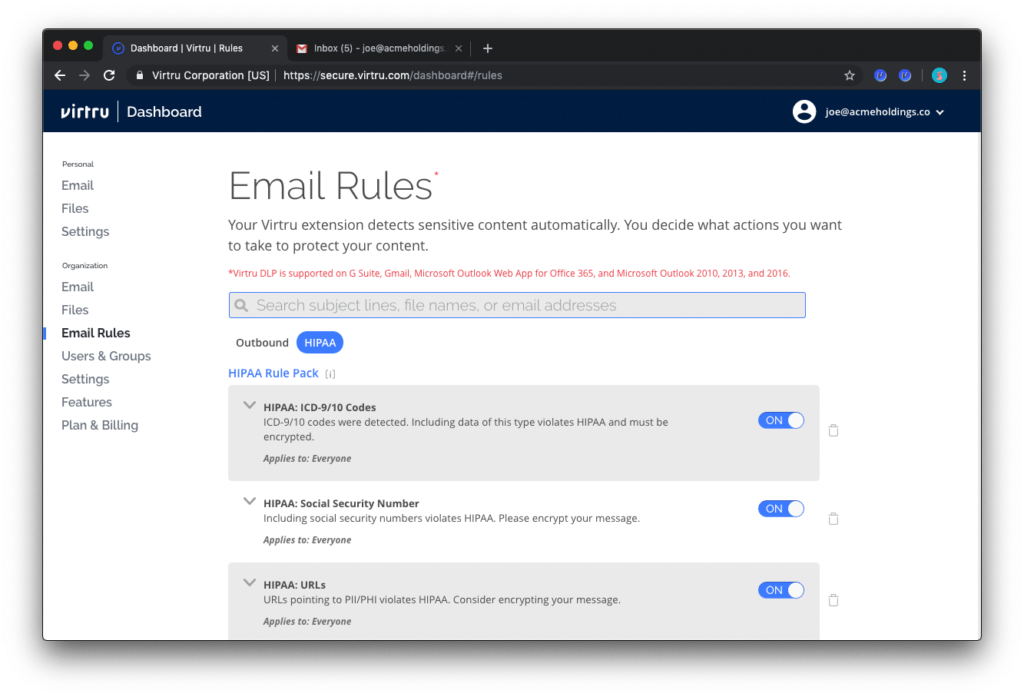
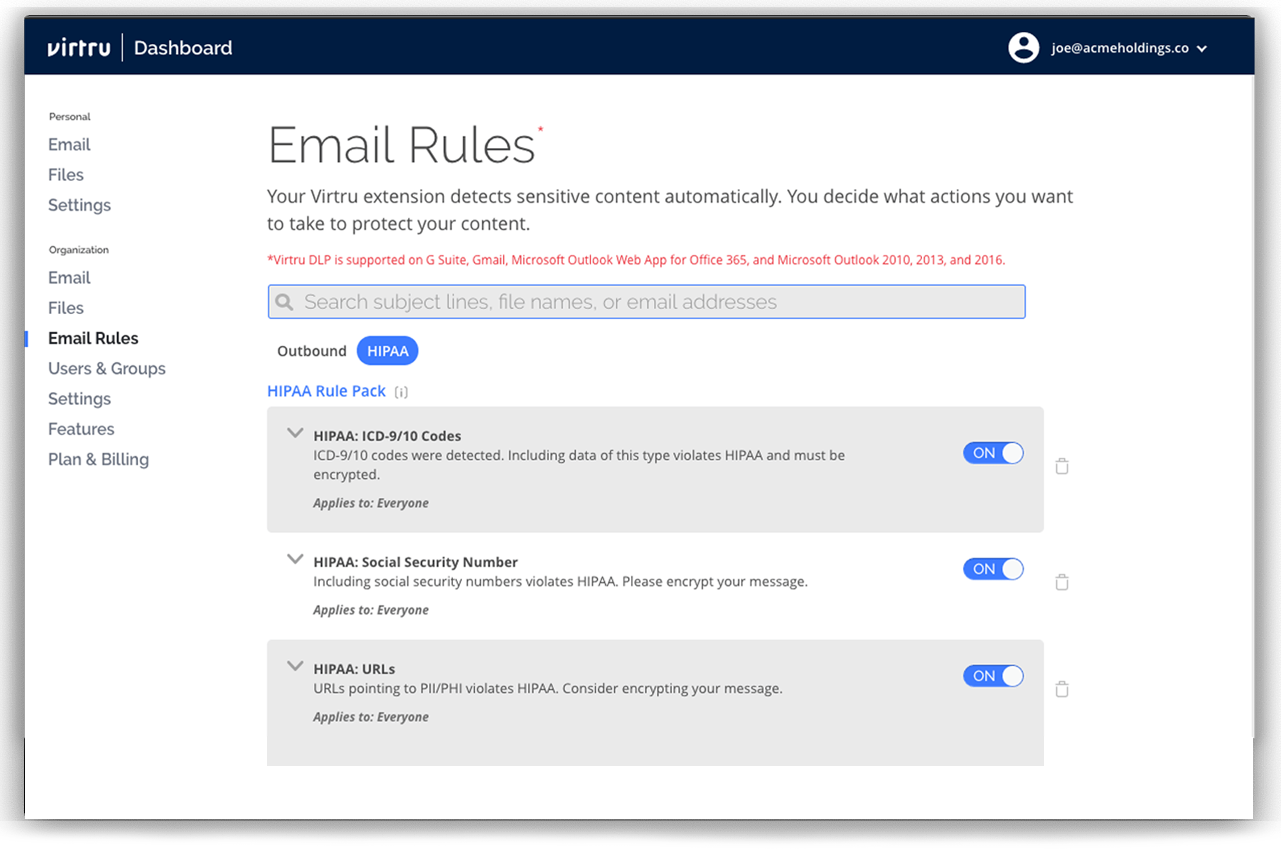
Easily configure DLP policies to scan for PHI, then apply encryption and access control policies before they leave your domain. Implement the Virtru HIPAA Compliance Rule Pack, or [leverage Virtru's integration with Nightfall AI,](https://www.virtru.com/nightfall-dlp-hipaa/?hsLang=en) to automatically detect and protect common types of PHI including SSNs, ICD-9/10 codes, National Provider Identifier (NPI) and more.


![dlp-custom-rules-1 (1)](https://www.virtru.com/hubfs/dlp-custom-rules-1%20(1).png)

### Configure Advanced Logic with Custom Rules

Configure powerful DLP policies to match your organization’s data security and compliance requirements. By scanning multiple email fields—subject line, body and attachments—Virtru can enforce automatic protection with custom logic. For OUs or individuals that frequently send sensitive data, custom DLP policies can further reduce the risk of a data loss or breach.
 

![then-rules-1](https://www.virtru.com/hubfs/then-rules-1.png)

### Enforce Persistent Protection and Granular Controls

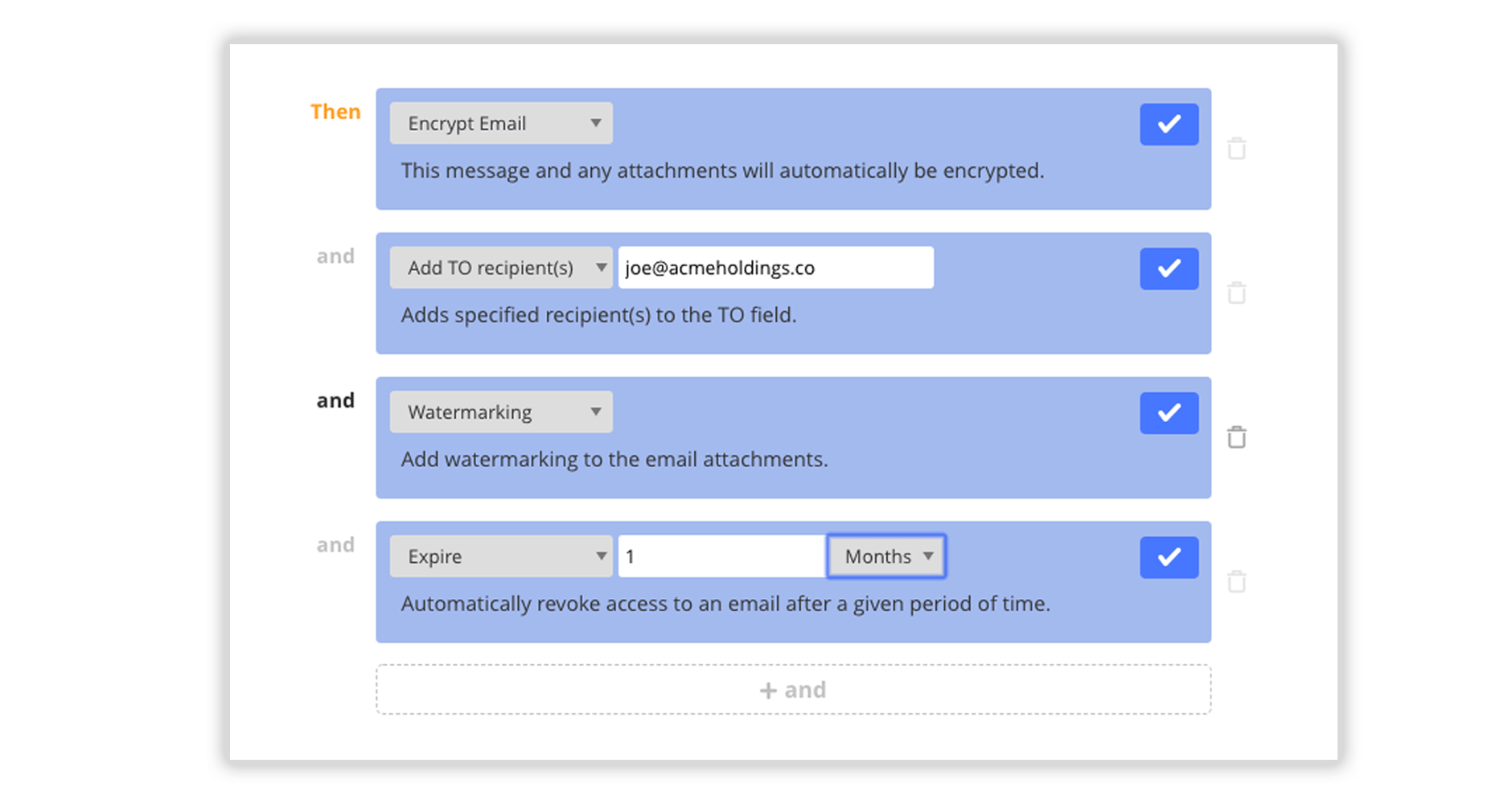
After sensitive content is detected, configure rules to enforce protection—such as object-level encryption, access expiration, disable forwarding, attachment watermarking or even stripping attachments to mitigate data leak risks. Granular control gives admins the ability to monitor user activity and add additional recipients for total visibility into sensitive sharing workflows.

> “We like the control features. For example, being able to revoke a message,  
> and have an audit trail, really sets Virtru apart.”

*— Dave Steck, VP of IT Infrastructure, Schnucks Market*

![schnucks](https://www.virtru.com/hs-fs/hubfs/Virtu_2022/gmail-encryption/schnucks.png?width=200&height=29&name=schnucks.png)

## More than 7,000 organizations trust Virtru for data security and privacy protection.

![Omada_Horizontal_Color](https://www.virtru.com/hubfs/Virtu_2022/google-drive-encryption/Omada_Horizontal_Color.svg)

![sequoia-mark](https://www.virtru.com/hubfs/Virtu_2022/CCPA-Compliance/sequoia-mark.svg)

![maryland](https://www.virtru.com/hs-fs/hubfs/Virtu_2022/CJIS-compliance/maryland.png?width=400&height=187&name=maryland.png)

![SoFi](https://www.virtru.com/hs-fs/hubfs/Virtu_2022/Home/SoFi.png?width=180&height=49&name=SoFi.png)

![WeWork-logo](https://www.virtru.com/hubfs/Virtu_2022/google-workspace-encryption/WeWork-logo.svg)

## Resources

Get expert insights on how to address your data protection challenges.
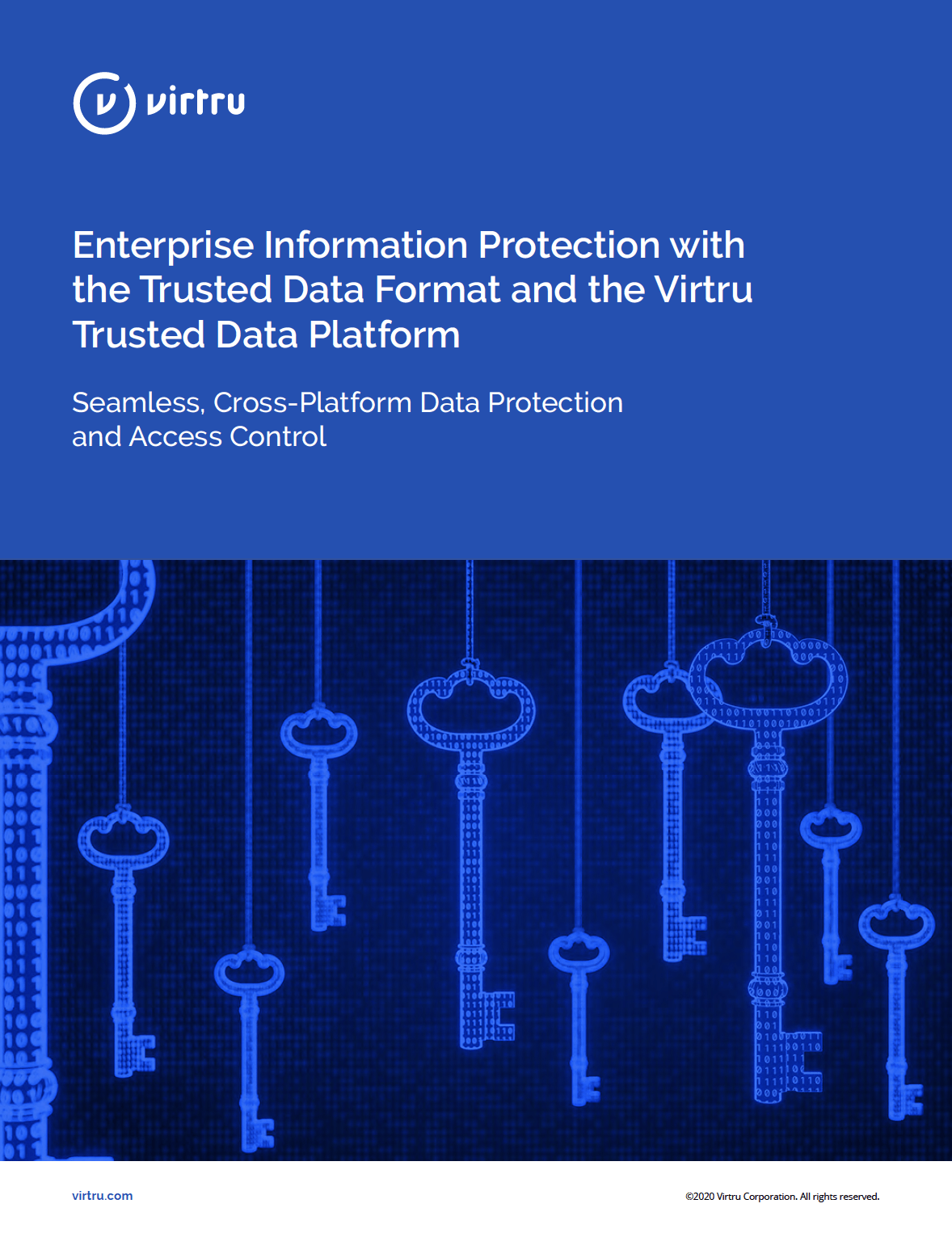
[### Enterprise Information Protection with the TDF and the Virtru Trusted Data Platform

Download the Whitepaper With the growth of cloud applications and an increasingly mobile workforce, most enterprises struggle to protect, share, and control sensitive information. Existing solutions require too much effort…

Learn More

![EIP-Whitepaper-Cover](https://www.virtru.com/hubfs/Resources/2018/12/EIP-Whitepaper-Cover.png) 

](https://www.virtru.com/resource/enterprise-information-protection/?hsLang=en)

[

 Webinar

Virtru Product Update: Enhanced Controls

](https://www.virtru.com/resource/virtru-product-update-enhanced-controls/?hsLang=en)

[

 Guide

Secure Collaboration and Sharing

](https://www.virtru.com/resource/tdf-guide/?hsLang=en)

[

 Video

Virtru DLP Support for OUs and Groups

](https://www.virtru.com/resource/virtru-dlp-support-ous-groups/?hsLang=en)

### Schedule a demo with Virtru today.

[Get Started](https://www.virtru.com/data-loss-prevention#)

![](https://www.virtru.com/hubfs/assets/images/icons/close-round.svg)

## Book a Demo

## Become a Partner

Contact us to learn more about our partnership opportunities.

```json
{
  "@context" : "https://schema.org",
  "@type" : "ItemList",
  "itemListElement" : [ {
    "@type" : "SiteNavigationElement",
    "name" : "Products",
    "position" : 1
  }, {
    "@type" : "SiteNavigationElement",
    "name" : "Solutions",
    "position" : 2
  }, {
    "@type" : "SiteNavigationElement",
    "name" : "Developers",
    "position" : 3
  }, {
    "@type" : "SiteNavigationElement",
    "name" : "Company",
    "position" : 4
  }, {
    "@type" : "SiteNavigationElement",
    "name" : "Resources",
    "position" : 5
  }, {
    "@type" : "SiteNavigationElement",
    "name" : "Support",
    "position" : 6,
    "url" : "https://support.virtru.com"
  }, {
    "@type" : "SiteNavigationElement",
    "name" : "Pricing",
    "position" : 7
  } ],
  "name" : "Main Navigation"
}
```