Virtru Academy Live: Virtru O365 for End Users

Getting Started with Virtru for Outlook 365
Gain comprehensive proficiency with Virtru for Microsoft Outlook 365 in this practical training session. Whether you're new to Virtru or need to strengthen your working knowledge, this hands-on session will equip you with the skills to handle sensitive communications securely and efficiently.
Timestamps
About Virtru
00:34 - What is Virtru?
01:48 - When to use Virtru
Live Demo & Walkthrough
03:49 - How to self-install as a user
06:02 - Activating Virtru after install
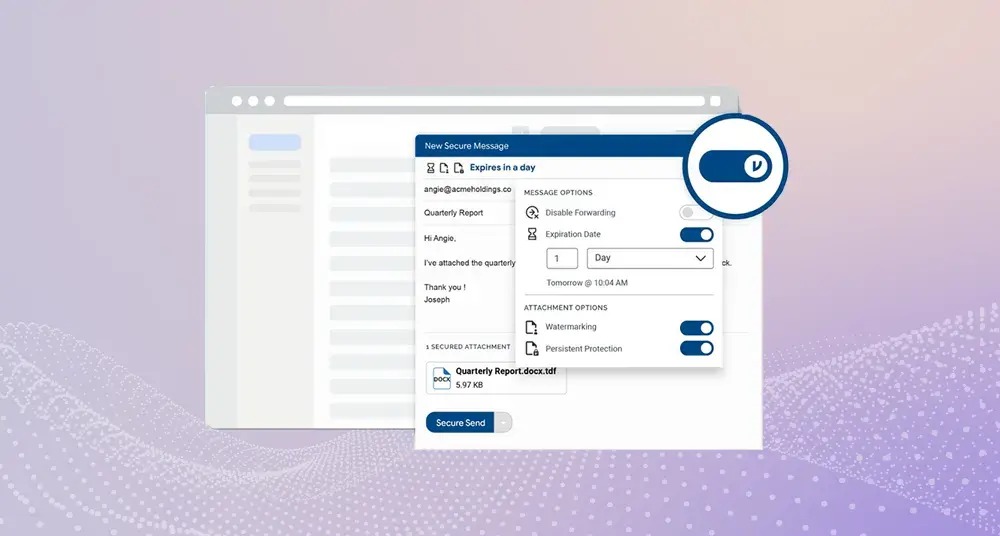
07:15 - Securing a message with Virtru, and adding additional controls
09:17 - Security rules experience - auto encryption, or warning
10:51 - How to decrypt and read secure emails
12:14 - Modifying security settings post-send
12:42 - Secure search function
13:51 - The recipient experience
16:01 - Troubleshooting
17:07 - How to get support
FAQs
18:25 - Why are some people unable to open our documents?
19:11 - How about mobile Outlook?
19:56 - From a compliance POV, can the attachments that have been sent, be viewed?
20:57 - Control center for admins?
23:19 - How does this affect journaling for audits?
25:13 - Can you search the body of the email?
/case%20study%20-%20Rescrybe/Rescrybe-Tile.webp)


/NYCHH%20Logo.webp)
/Roderick%20Recorded%20Future%20Video.webp)



/resource%20-%20cornerstone%20clinical%20services/cornerstone-resource-card.webp)