Every click matters—especially when your team is sharing sensitive files all day. While Virtru Share has been protecting your data in the browser, we're seizing the opportunity to make secure sharing even more seamless.
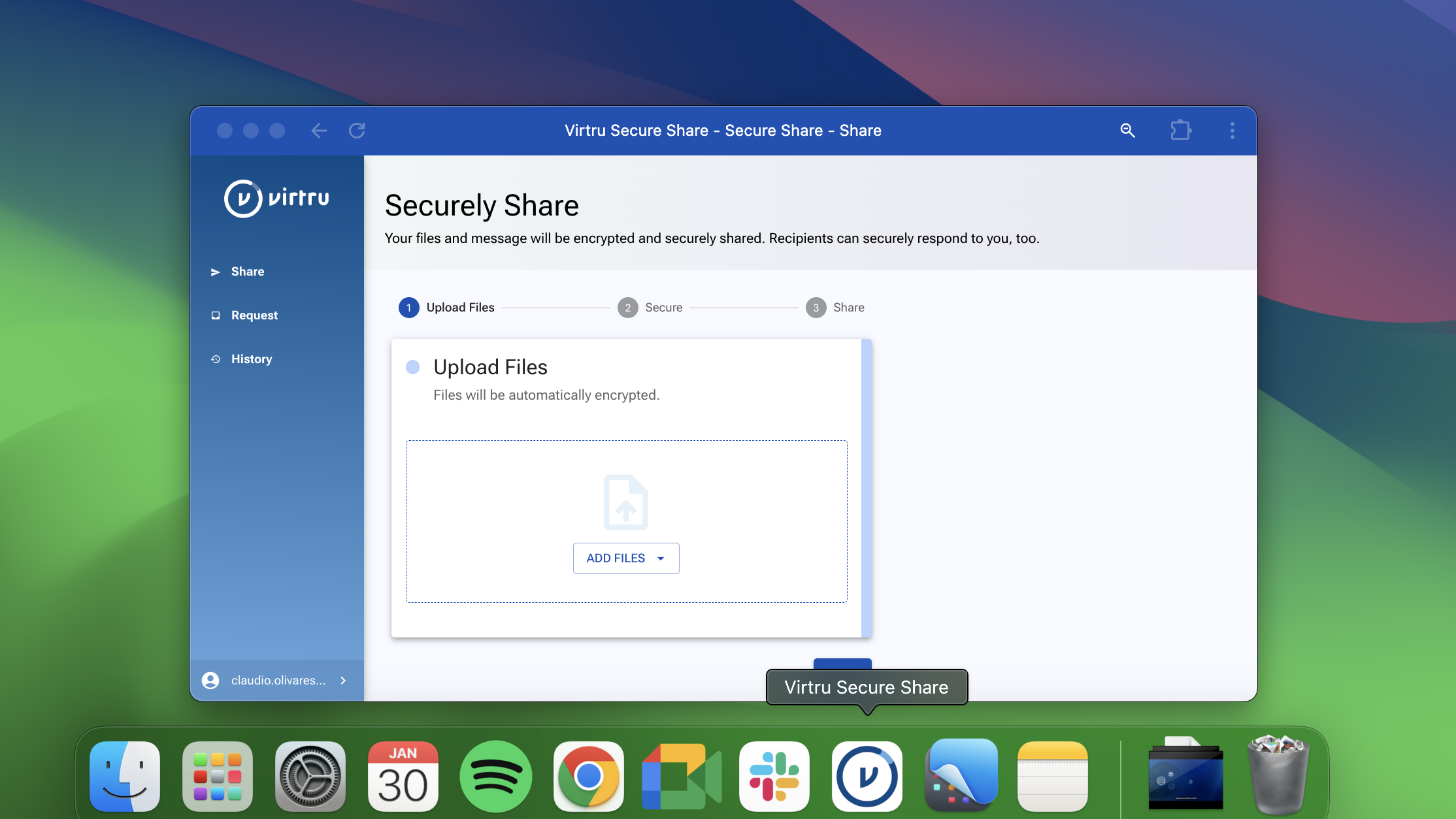
Today, we're bringing Virtru Share directly to your desktop, giving you the flexibility to choose your workflow - either share from your browser or your desktop - and streamline how your team protects their most important files.
What’s The Benefit For Admins?
Simplified Deployment with Native-Like Accessibility: Deliver a desktop experience to your users without the overhead of managing complex installations, ensuring fast adoption and reducing IT support requirements.
Consistent Cloud Storage Support: Whether users access the app through their browser or launch it directly from their desktop, they’ll enjoy seamless, uniform access to authorized cloud storage services, including Google Drive.
Always Up-to-Date: Get automatic access to the latest capabilities — no manual updates or maintenance required.
What’s In It For The End User?
- Familiar Desktop App-Like Experience: Enjoy the simplicity of launching the app directly from your task tray or dock, giving you a familiar and convenient way to access secure file-sharing without relying on a browser bookmark.
- Quicker Access, Quicker Adoption: By allowing administrators to deploy the application directly to users' desktops, this solution eliminates web navigation friction and promotes faster adoption through improved convenience and visibility.
- Peace of Mind: Feel confident knowing that every file you share is protected with Virtru’s industry-leading data-centric security and encryption.
Download It Now
This feature is available today for current Virtru Share users. Here's how you can get it right now.
- Navigate to Virtru Share in your browser as you usually would at secure.virtru.com/secure-share/ and log in.
- Select the installation icon in the far right of the address bar of your chrome browser.
- Select Install in the prompt box that appears.
- After it’s installed, Virtru Share will open in its own window, and will be available via your dock on your desktop.
By bringing Virtru Share to your desktop, we're removing barriers between your team and the security tools they need. Installation takes less than a minute, but the impact on your daily workflow is immediate. Give it a try—your desktop is ready.
Not a Virtru Share User? Here’s Why You Should Be.
Virtru Share transforms how organizations protect and share sensitive files. With desktop-based encrypted file sharing, you maintain control of your data long after it leaves your hands—from revoking access to setting expiration dates.
Your collaborators enjoy a frictionless experience with no software downloads or new accounts needed. Simply share through a browser using one-time codes or existing credentials.
In addition to Virtru Share's breezy user experience, it's a versatile file sharing tool you can integrate into the apps you use everyday: Google Drive, Zendesk, Confluence, and more.
For organizations with stringent security requirements, Virtru Share offers FIPS 140-3 support and end-to-end encryption. It's enterprise-grade security that feels effortless to use.
If you’re not already a Virtru Share user, reach out to our team today to see how you can empower your team to share sensitive files outside of your perimeter with confidence and control.