Share post:


TABLE OF CONTENTS
See Virtru In Action
Share post:
/General%20Newsletter%20Images/secureshare-NL-FINAL.png)
- Simplify secure collaboration by saving files directly to cloud storage platforms where teams already work
- Enhance security governance with the ability to restrict local downloads, ensuring files remain within approved cloud environments
- Customize user experience by configuring preferred storage options—enable Google Drive, Microsoft OneDrive/SharePoint, local downloads, or any combination that meets your security requirements
- Maintain comprehensive protection across all storage destinations with consistent enforcement of security controls like expiration dates, watermarks and Persistent File Protection
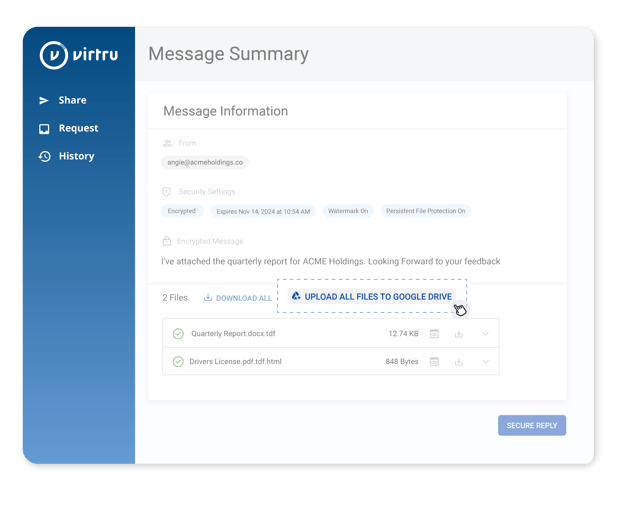
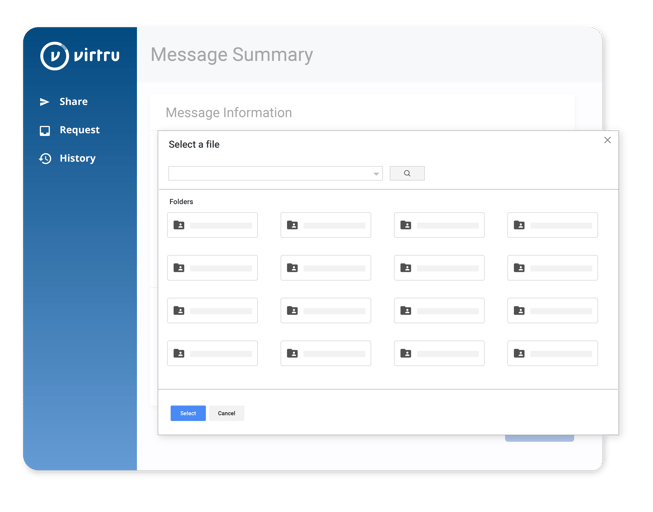
When accessing a protected file, recipients now see expanded options alongside the familiar "Download All" button. Depending on your organization's configuration, users can select "Upload to Google Drive" or "Upload to OneDrive/SharePoint" to save files directly to their cloud storage. Administrators can configure which options are available, including the ability to disable local downloads entirely for enhanced security. Files with Persistent File Protection are automatically saved as HTML files with secure view links, ensuring protection follows the data. For files with watermarking enabled, download restrictions remain in place, maintaining the integrity of this security control across all sharing methods.
Virtru Secure Share balances security with productivity, allowing your organization to enforce appropriate data controls while giving users the flexibility to work within their preferred tools and environments.
To configure your download options, reach out to your Customer Success Manager or visit our Support Center.
Visit our Virtru Secure Share page to learn more about how Secure Share makes it easy to protect your shared files for streamlined, secure collaboration.
Virtru Product Marketing
The Virtru product marketing team is focused on improving and delivering Virtru’s data centric security offerings to customers. Their human-centric approach, backed by research and data, informs messaging and campaigns that effectively educate the cybersecurity community.
View more posts by Virtru Product MarketingSign Up for the Virtru Newsletter
-May-28-2025-06-22-56-2800-PM.jpg)